A Vue 2 to Vue 3 migration upgrades a legacy frontend in controlled stages: audit dependencies first, verify router, state, and build tooling compatibility, and validate critical workflows before cutover. Because Vue 2 reached end of life on December 31, 2023, planning an upgrade or documented extended support helps protect ongoing product delivery.
For teams evaluating Frontend Development Services or Vue migration services, the first step is assessing the application's dependencies and architecture before touching production code.
Quick Summary / Key Takeaways
- Vue 2 reached end of life on December 31, 2023. Existing applications still run and packages remain available, but the original Vue team no longer provides features, updates, or fixes.
- A Vue 2 to Vue 3 migration should begin with a dependency audit, not an immediate rewrite of every component.
- The Vue compatibility build,
@vue/compat, can help teams migrate in stages, although some older dependencies may prevent its use. - Vue Router, Vuex, build tooling, TypeScript, and testing libraries need individual compatibility checks.
- A phased migration with regression testing, rollback planning, and clear ownership helps control business disruption when you upgrade Vue 2 application codebases.
Why should businesses plan a Vue 2 to Vue 3 migration now?
A framework upgrade is easy to postpone when the application still works. The problem usually appears later, when a new feature requires a package that no longer supports the old framework, a security review questions an outdated dependency, or a developer spends days working around an issue that should have been resolved through an upgrade.
Consider a fictional B2B logistics company with a Vue 2 dashboard. Its employees use the application to track shipments, approve invoices, update delivery records, and communicate with customers.
Nothing appears broken. The dashboard loads, reports are available, and the business continues operating.
Then the company decides to introduce a new reporting interface. The development team discovers that several existing UI libraries do not support the required Vue 3 setup. The old build configuration also makes dependency upgrades difficult.
The problem is no longer about the dashboard.
It is about how much future development depends on maintaining an older technical foundation.
There are several business reasons to plan the upgrade:
- Maintenance: Vue 2 no longer receives updates or fixes from the original Vue team, and its final release was 2.7.16.
- Dependency compatibility: Older packages may not work with newer framework versions.
- Developer onboarding: Engineers need to understand both outdated patterns and the changes required for future development.
- Frontend architecture: The upgrade supports broader frontend modernisation by reviewing component reuse, shared state, and application structure. (For context on framework trade-offs, see our comparison of React, Vue, and Angular for enterprise web apps.)
- Security governance: Unsupported dependencies need an active security plan. Teams that must stay on Vue 2 for compliance reasons can evaluate extended support such as HeroDevs Never-Ending Support (NES) for Vue 2, which the Vue EOL notice notes provides ongoing security patches with a 14-day fix SLA.
The right decision is not necessarily to rebuild the entire application. It is to understand which parts need attention and what the business gains from changing them.
What actually changes between Vue 2 and Vue 3?
Vue 3 retains much of the knowledge developers already have, but several framework APIs and ecosystem packages have changed.
The official Vue 3 Migration Guide documents these differences and provides examples for adapting existing applications.
1. Application initialization
Vue 2 applications commonly start with a root Vue instance.
Under Vue 3's global API application instance changes, createApp() creates an isolated application instance. Plugins, global components, directives, and configuration are registered against that instance.
This matters when an application has several shared services, such as authentication helpers, API clients, or notification utilities.
The migration should establish where those services belong rather than simply replacing one initialization statement with another.
2. Component communication and v-model
Forms are often among the most heavily used parts of business applications.
Vue 3's component v-model changes update the default model property and event names and replace .sync with v-model arguments.
For an application with customer forms, approval screens, or complex data entry interfaces, these changes deserve individual regression tests.
3. Filters and event buses
Vue 3 removes filters and the $on, $off, and $once instance Events API methods.
A Vue 2 application that uses filters for currency, dates, or status labels will need to move that logic into methods, computed properties, or shared formatting utilities.
An existing event bus also needs attention. An external event emitter library or a different communication pattern may be appropriate, depending on how components exchange information.
These are small changes individually. Across a large application, they can become a meaningful migration workstream.
How should you audit a Vue 2 application before upgrading?
Start with the dependencies. A Vue application rarely consists of Vue alone.
It may depend on a component library, routing package, state management solution, date picker, charting library, form validation package, testing utilities, and custom plugins.
If even one important dependency has no compatible release, the migration plan may need to change.
A dependency audit should cover the following areas.
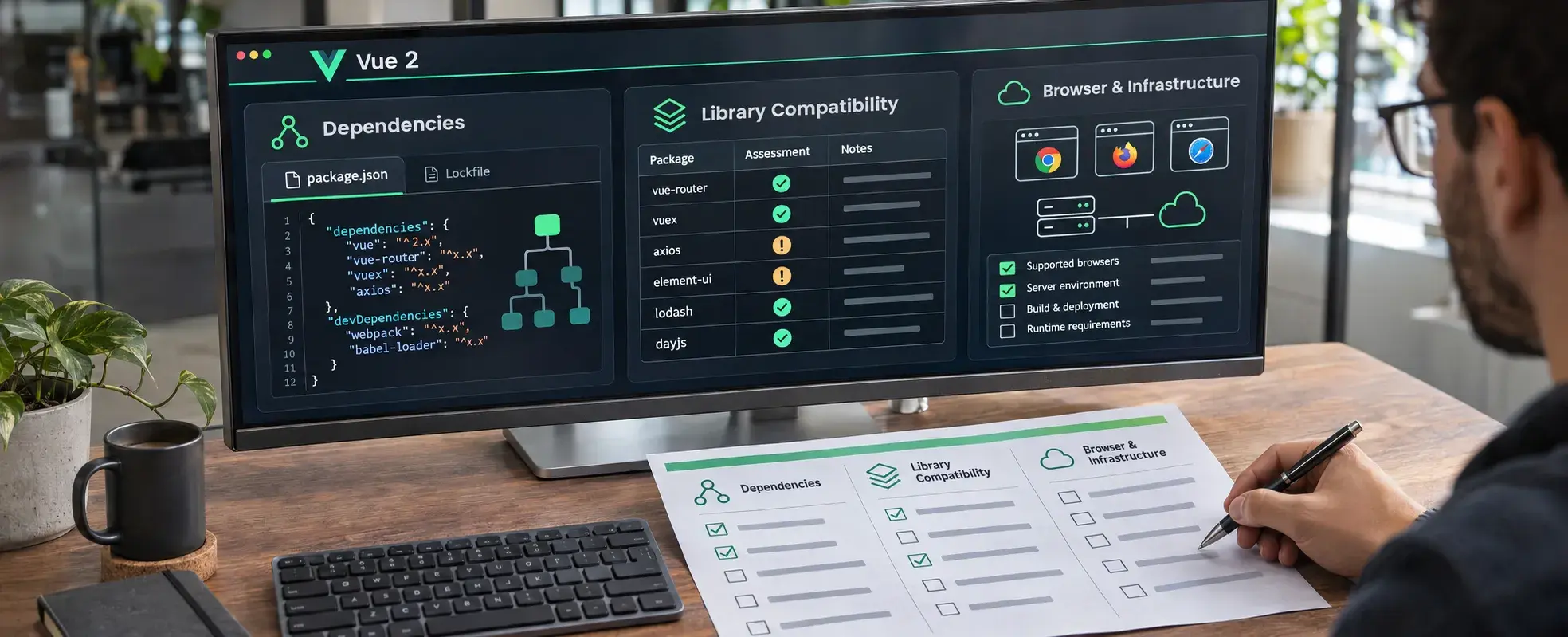
1. Review package.json and the lockfile
Identify:
- Current Vue version.
- Vue Router version.
- Vuex version.
- Vue CLI or custom Webpack configuration.
- UI component libraries.
- Testing libraries.
- TypeScript and JavaScript build tools.
- Custom plugins and internal packages.
Do not stop at the direct dependencies. Review their peer dependencies and transitive packages too.
2. Check third-party library compatibility
Create a compatibility register covering each dependency category:
- UI component library: Check whether the installed release supports Vue 3, or plan to upgrade or replace it.
- Date and calendar packages: Verify that component events and props remain compatible, then update and retest.
- Chart libraries: Confirm whether existing wrappers support Vue 3 and upgrade the wrapper if needed.
- Routing: Check whether the project uses Vue Router 3 and schedule the Vue Router 4 upgrade.
- State management: Check whether the application relies on Vuex 3 and evaluate Vuex 4 or Pinia.
- Testing tools: Identify whether the suite uses Vue Test Utils v1 and plan the move to Vue Test Utils v2.
- Custom plugins: Audit whether internal plugins rely on Vue 2 private APIs and refactor or replace them.
Do not assume that a package works simply because its latest version installs successfully.
A successful installation does not prove that its components render correctly or that its behavior remains unchanged.
3. Identify browser and infrastructure requirements
This is a particularly important step for enterprise applications.
Vue 3 does not support Internet Explorer 11 because it relies on modern JavaScript features that cannot be polyfilled for that browser.
If an organization still has an IE11 requirement, that needs to be resolved before approving the migration.
Also check:
- Server-side rendering requirements.
- Authentication and session management.
- Content delivery and caching.
- Build and deployment pipelines.
- Browser versions used by employees and customers.
A migration that works locally but fails in the production environment is not a successful migration.
Should you use the Vue compatibility build or migrate directly?
There are different ways to approach the upgrade. The right choice depends on application size, dependency support, available engineering capacity, and the amount of change the business can absorb.
One useful option is the Vue migration build (@vue/compat).
It is a Vue 3 build that provides configurable Vue 2-compatible behavior. It can report runtime warnings for changed or deprecated features and allows compatibility behavior to be configured at the application or component level.
Compare the approaches before choosing one.
There is no reason to treat a complete rewrite as the default answer.
The migration build documentation also lists limitations involving dependencies that rely on private Vue 2 APIs (such as private VNode properties), dropped IE11 support, and custom server-side rendering setups (replacing vue-server-renderer with @vue/server-renderer without a bundle renderer). These need to be checked before committing to the compatibility approach.
For many businesses, the sensible route is to establish a working Vue 3 foundation first, then migrate the application in manageable groups.
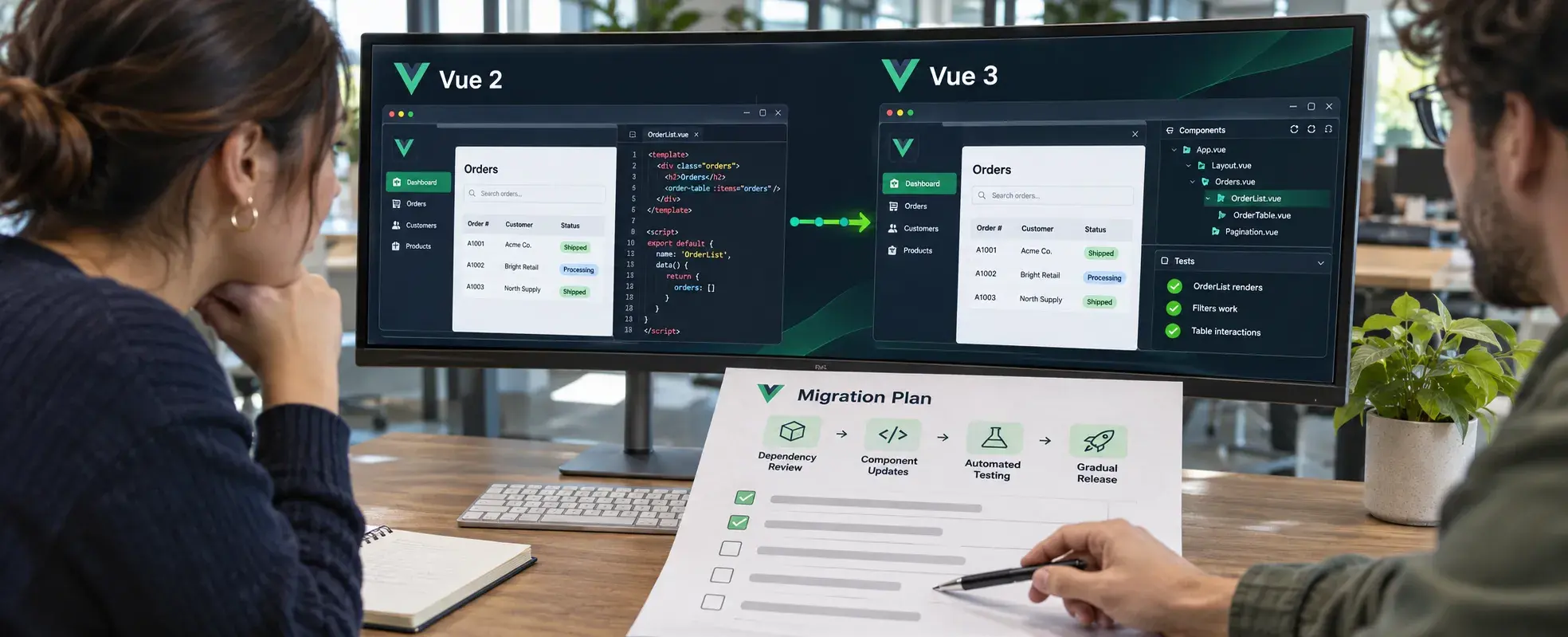
A practical phased roadmap for Vue 2 to Vue 3 migration
Once the audit is complete, the next challenge is execution.
A migration plan should give developers enough room to address technical changes without allowing the project to disrupt regular product development.
Here is a practical sequence.
Recommended migration sequence
- Application assessment: Document dependencies, application modules, technical debt, and business-critical workflows.
- Compatibility planning: Classify dependencies as compatible, upgradeable, replaceable, or blocked.
- Build environment preparation: Prepare Vue 3, compiler dependencies, and the selected build toolchain.
- Core framework migration: Update application initialization, plugins, routing, and state management.
- Component migration: Migrate and validate components in manageable groups.
- Regression testing: Validate existing user journeys, permissions, integrations, and browser behavior.
- Production rollout: Release in controlled stages, monitor behavior, and retain a rollback plan.
Phase 1: Establish a baseline
Before changing code, document how the current application behaves.
Record:
- Existing production defects.
- Important user journeys.
- Current application performance.
- Build and deployment behavior.
- Existing automated test coverage.
- Known browser-specific issues.
This baseline helps distinguish migration related defects from problems that already existed.
Phase 2: Prepare the build toolchain
Vue's tooling guide recommends Vite for new Vue projects and notes that Vue CLI is now in maintenance mode.
The guide also lists updated tooling for Vue 3 development, including the Vue - Official VS Code extension (previously Volar, replacing Vetur) and vue-tsc for command-line TypeScript checking.
A team using Vue CLI or a customized Webpack configuration should assess whether to retain its existing setup temporarily or move to Vite during the upgrade.
My recommendation is to avoid combining unrelated changes without a reason. If changing the build tool introduces significant work, give it a separate scope and acceptance criteria.
Phase 3: Update routing and state management
Routing and state management deserve their own migration tasks.
The Vue Router 4 migration guide replaces new Router() with createRouter() and replaces the mode option with explicit history functions such as createWebHistory(), createWebHashHistory(), and createMemoryHistory().
State management requires a separate decision.
The distinction is important: Vuex 4 supports Vue 3, so an existing store does not automatically need to be replaced. However, Vue's state management guide notes that Vuex is now in maintenance mode and recommends Pinia for new Vue applications.
For a business application with complicated approval workflows and shared data, retaining Vuex initially may reduce unnecessary change. Pinia can be evaluated as a separate improvement if there is a clear reason to adopt it.
Phase 4: Migrate components in batches
Avoid migrating hundreds of components without a defined order.
Start with relatively independent components, then move toward shared components and complex workflows.
For example:
- Basic buttons, inputs, and reusable UI elements.
- Shared navigation and layout components.
- Forms and validation.
- Data tables and reporting interfaces.
- Authentication dependent components.
- Complex business workflows.
After each group, run its associated tests and review compatibility warnings.
This makes defects easier to trace. It also gives product owners a clearer picture of progress.
Phase 5: Validate the production release
The final phase should include deployment rehearsal, monitoring, and rollback preparation.
Do not make the production release the first time the migrated application interacts with real infrastructure.
Use staging environments that resemble production, validate integrations, and confirm that the deployment process can restore the previous working release if a serious problem appears.
How do you test a Vue 3 application after migration?
A successful build does not mean the application is ready.
The real question is whether users can still complete their work.
The Vue Test Utils v2 migration guide covers breaking changes for Vue 3 testing, including removing createLocalVue and updating mounting options from propsData to props (with propsData kept for backwards compatibility).
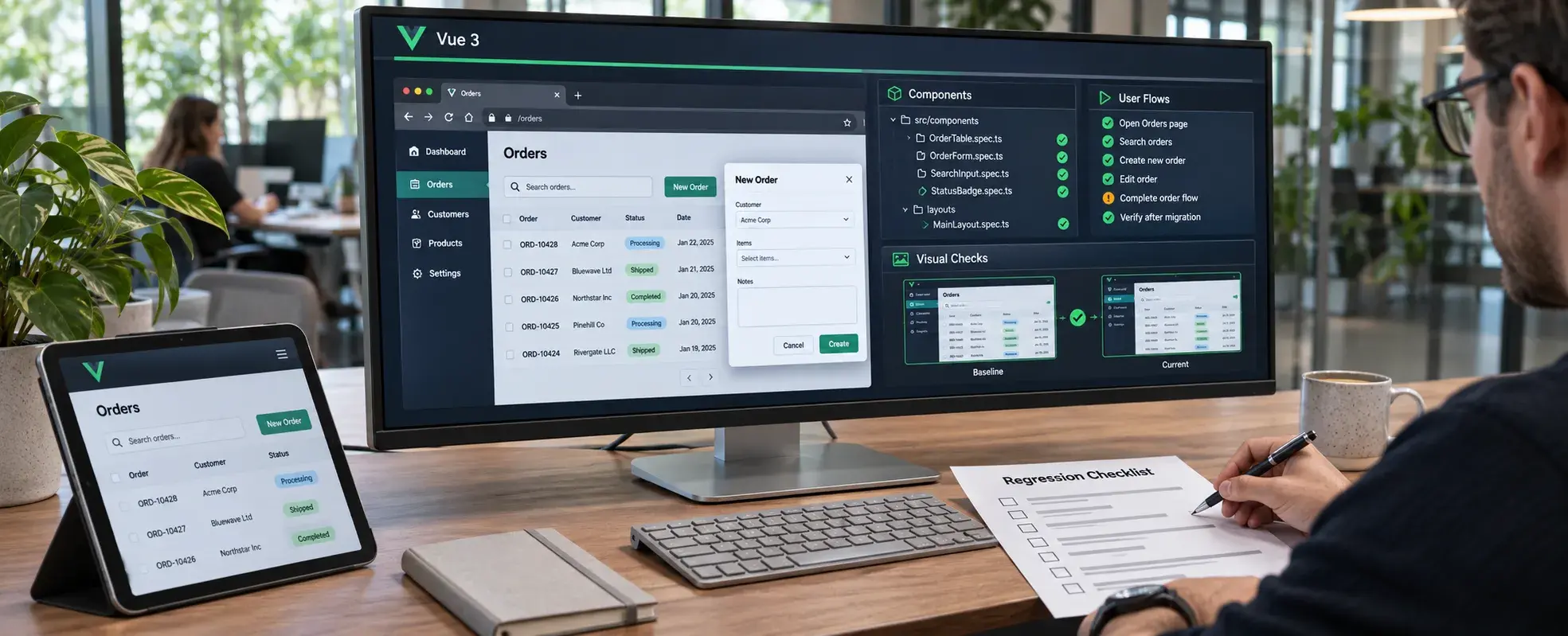
A migration testing strategy should cover six levels:
- Unit testing: Individual functions and computed logic, such as currency formatting.
- Component testing: Component rendering and user interaction, such as a customer search form.
- Integration testing: Communication between application modules, such as order creation and inventory updates.
- End-to-end testing: Complete customer and employee journeys, such as login, approval, and payment.
- Regression testing: Core behavior remaining intact across reports, filters, and exports.
- Security testing: Authentication and access boundaries, such as blocking unauthorized access to another account.
Pay particular attention to business-critical workflows
Consider an illustrative finance application.
After migration, the development team should verify that:
- Employees can still sign in.
- Role-based permissions remain correct.
- Invoice totals are calculated correctly.
- Approval notifications are triggered.
- Reports display the expected information.
- Failed API requests produce understandable errors.
A visual comparison alone will not catch every problem.
The testing process should include real interactions and realistic data.
For additional guidance on browser automation choices, see Deuex's comparison of Playwright, Cypress, and Selenium.
What affects the cost of Vue 2 to Vue 3 migration?
There is no reliable fixed price for every application upgrade. Two projects using the same framework version can require very different amounts of work.
A small application with compatible packages is a different assignment from a multi-module enterprise portal with custom plugins, complex routing, and limited regression coverage.
The following factors influence the estimate.
How should a business estimate the migration budget?
Break the estimate into separate work packages:
- Discovery and dependency assessment.
- Migration architecture and planning.
- Framework and build configuration.
- Routing and state management.
- Component migration.
- Testing and defect correction.
- Deployment and post-release support.
Request estimates for each package rather than accepting one unexplained development figure. You can review our software development services overview and enterprise web application development guide when structuring scope, Vue migration services, and post-release support.
For companies in India and the UAE, supplier proposals should also clarify the assigned team, project governance, delivery milestones, support arrangements, and currency of billing.
A lower initial quotation may not represent a lower total cost if dependency replacement, testing, and post-release maintenance are excluded.
What do software migration studies tell us?
There is an interesting point in software migration research: changing a framework can take more effort than the initial technology comparison suggests.
Two published studies provide useful context. Neither is a direct measurement of Vue 2 to Vue 3 migrations, so their findings should be treated as evidence about broader frontend migration work rather than as Vue-specific cost estimates.
Research 1: On the (un-)adoption of JavaScript front-end frameworks
Fabio Ferreira, Hudson Silva Borges, and Marco Tulio Valente published On the (un-)adoption of JavaScript front-end frameworks in Software: Practice and Experience (Vol. 52, Issue 4, 2022; first published online in 2021).
The researchers surveyed 49 developers and analyzed 19 projects that completed a JavaScript frontend framework migration.
Their findings identified popularity and learnability as important framework selection factors. They also reported that migration time was greater than or equal to the time spent using the old framework in every migration project they studied.
This does not mean every Vue upgrade will take longer than the original development. The sample and studied projects have limitations.
The useful lesson is that migration effort deserves its own business case and budget.
Research 2: From GWT to Angular: An Experiment Report on Migrating a Legacy Web Application
Benoit Verhaeghe and co-authors published From GWT to Angular: An Experiment Report on Migrating a Legacy Web Application in IEEE Software (Vol. 39, No. 4, 2022; early access 2021).
The study examined Berger-Levrault's plan to migrate large legacy applications (over 500 web pages per application) from Google Web Toolkit to Angular. Evaluating a semi-automated tool on a representative internal application (Omaje, 20 main pages), the authors reported that the approach took 24 person-days compared with a rough manual estimate of 104 person-days.
The relevance to Vue migration is the execution approach, not the framework itself.
Large frontend applications should be assessed for reusable migration patterns and automation opportunities before a complete rewrite is approved.
Vue 2 to Vue 3 migration checklist for engineering managers

Before approving the project, use this checklist to make sure the important decisions have been addressed.
Migration readiness (0/12 completed)
- Inventory Vue 2, Vue Router, Vuex, and other dependencies.
- Check Vue 3 compatibility for every business-critical package.
- Confirm browser and server-side rendering requirements.
- Document application architecture and shared components.
- Choose direct migration, compatibility build, or phased delivery.
- Prepare the Vue 3 build and development environment.
- Plan router and state management changes.
- Create a component migration sequence.
- Update unit, component, and end-to-end tests.
- Validate authentication, permissions, and integrations.
- Prepare staging, monitoring, and rollback procedures.
- Assign ownership for post-migration maintenance.
Making the Vue 3 upgrade a business decision
A Vue 2 to Vue 3 migration should leave the business with an application that is easier to maintain, test, and extend. Getting there requires more than changing package versions.
The work begins with an honest assessment of the existing codebase. From there, dependency compatibility, application architecture, testing, and release planning determine the safest route.
If your team is evaluating an existing Vue application, Vue 3 development, or broader frontend modernisation, explore Deuex Solutions' Frontend Development Services to scope a dependency audit and phased pilot.
Start with an assessment. Understand the risks. Then decide how much of the application actually needs to change.


Sanket Shah
CEO & Founder
I am Sanket Shah, founder and CEO of Deuex Solutions, where I focus on building scalable web mobile and data driven software products with a background in software development. I enjoy turning ideas into reliable digital solutions and working with teams to solve real world problems through technology.