Quick Summary
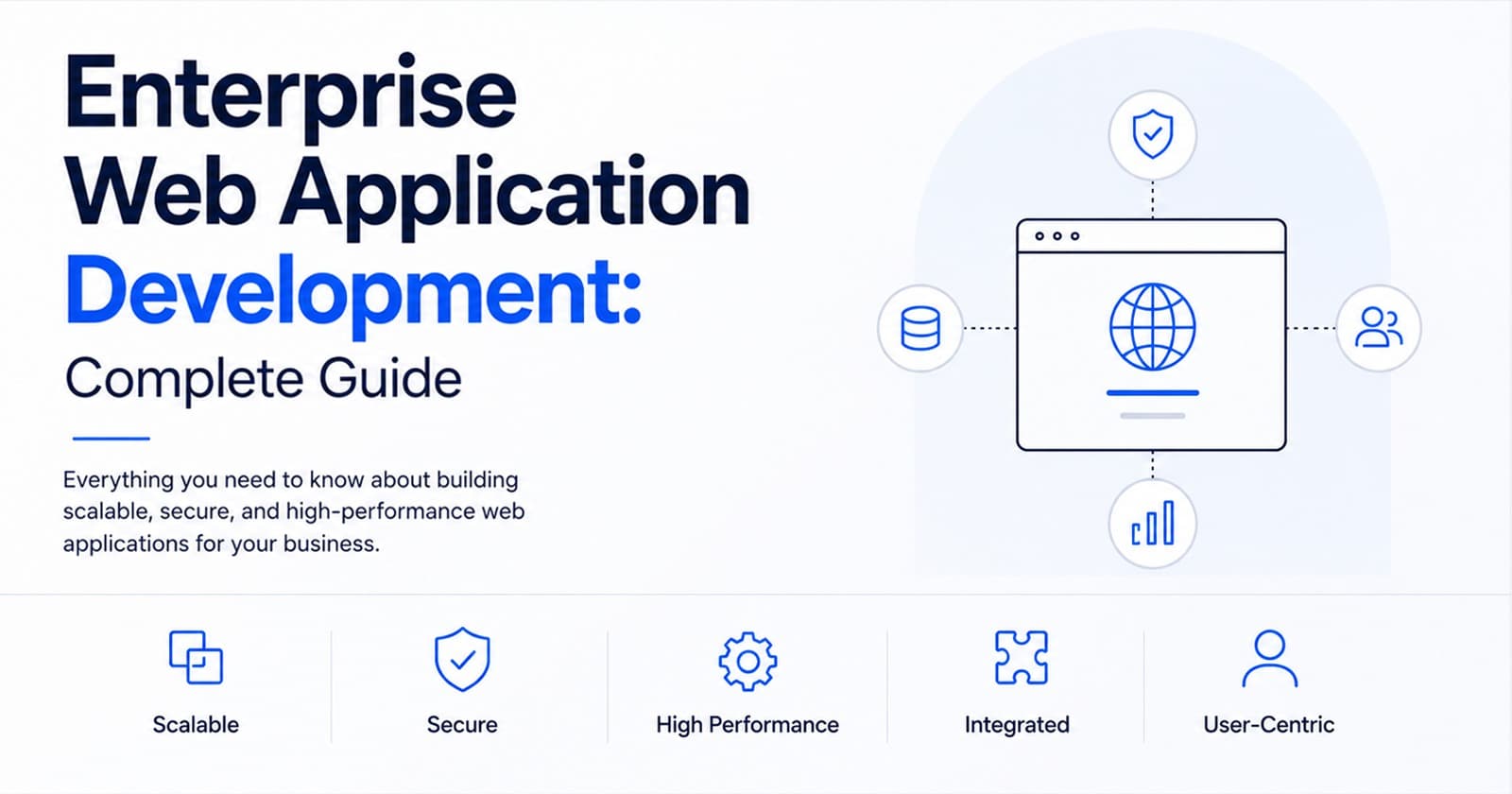
Enterprise web application development is the work of turning complex business processes into secure, usable browser-based software. These applications are usually built for teams that have outgrown spreadsheets, email chains, disconnected tools, and manual approvals.
A good enterprise web app does more than display information. It helps people complete work, manage data, track progress, share documents, review reports, approve requests, and connect different systems in one controlled environment.
The real value comes from clarity. When the right users can see the right information at the right time, decisions move faster and teams spend less time chasing updates.
If your current process depends on repeated follow-ups, duplicated data entry, delayed reports, or tools that no longer match the way your business works, a custom enterprise web app may be the next practical step. Deuex Solutions offers web application development services for businesses that need software built around real workflows, not generic templates.
What Is Enterprise Web Application Development?
Enterprise web application development is the process of designing and building browser-based software for organizations with larger teams, layered permissions, complex workflows, and serious data needs.
These applications may be used by employees, customers, vendors, administrators, partners, managers, or leadership teams. Some are internal systems. Others are customer-facing portals or SaaS platforms. In most cases, the goal is the same: make a business process easier to manage, track, and improve.
A simple website tells visitors who you are and what you offer. An enterprise web application helps people get work done.
That work may include:
- Managing approvals
- Tracking orders, requests, or tickets
- Viewing dashboards
- Uploading and reviewing documents
- Assigning tasks
- Handling customer or vendor requests
- Managing inventory
- Sharing reports
- Connecting with CRM, ERP, accounting, HRMS, or payment systems
- Running workflows based on user roles
In many projects, the need for an enterprise app starts with a sentence that sounds simple: "We are spending too much time following up." Sometimes it is, "We cannot see the real status." Other times, it is, "This spreadsheet is running a process it was never meant to run."
That is usually the warning sign. The business does not just need another screen. It needs a better system.
Why Enterprises Need Custom Web Applications

Off-the-shelf software can be useful, especially when the problem is common and the workflow is simple. It is quick to buy, easy to start with, and often enough for an early stage process.
The difficulty begins when the business grows around the tool.
One department starts using it. Then another team joins. Exceptions appear. Reporting becomes difficult. People begin exporting data to spreadsheets because the software does not support the exact workflow. Approvals happen outside the system. Managers ask for manual updates. Over time, the team is no longer using the software smoothly. It is working around it.
Custom enterprise web applications help when:
- Teams depend on too many manual steps
- Data is spread across disconnected systems
- Reports are late, incomplete, or hard to trust
- Users need different access levels
- Existing software does not match the workflow
- Customers or vendors need a dedicated portal
- Compliance, audit trails, and permissions matter
- Growth is exposing gaps in old processes
- Leadership needs better visibility
In one approval-based workflow, the first visible issue was slow status updates. After mapping the process, the real problems were clearer: approvals were buried in emails, documents had multiple versions, administrators were checking the same details repeatedly, and reports were being prepared manually. The app was not just a feature request. It became a way to remove confusion from the whole operation.
That is where custom enterprise web application development creates value.
Enterprise Web App vs. Business Website
A business website and an enterprise web app can both be important, but they solve very different problems.
A website helps a business explain itself. An enterprise application helps the business run.
Both matter. They are simply built for different jobs.
Common Types of Enterprise Web Applications
Enterprise web applications can be built for almost any business function. The right type depends on the users, data, workflow, and outcome the company wants to improve.
The label is less important than the workflow. A useful enterprise app should reflect how people actually work, including the exceptions, handoffs, permissions, and reporting needs that usually get missed in early conversations.
Features an Enterprise Web Application Usually Needs
Every enterprise system has its own requirements, but most projects share a few core building blocks. Security, usability, reporting, and workflow control cannot be treated as afterthoughts.
Common features include:
- Secure login
- Multi-factor authentication
- Role-based access control
- Admin panel
- User management
- Workflow automation
- Dashboards
- Notifications
- File uploads
- Search and filters
- Data export
- Audit logs
- API integrations
- Reporting tools
- Mobile responsive interface
- Error handling
- Backup and recovery planning
Larger systems may also need:
- Single sign-on
- Cloud hosting setup
- Performance monitoring
- Advanced analytics
- Data migration
- Multi-language support
- Compliance controls
- Integrations with ERP, CRM, HRMS, finance, or accounting platforms
Many teams begin by asking for "a dashboard." That is understandable because the dashboard is what people see. The harder work often sits underneath it: clean data, permission rules, reliable APIs, workflow logic, and a structure that can keep working as the business grows.
Planning those details early saves time later.
What Enterprise Web Application Architecture Means
Enterprise web application architecture is the technical structure behind the product. It defines how the frontend, backend, database, APIs, hosting, security, and third-party systems work together.
Small applications can sometimes survive weak architecture for a while. Enterprise applications usually cannot. Once multiple teams, roles, integrations, and data flows are involved, poor structure becomes expensive.
Weak architecture can lead to:
- Slow performance
- Hard-to-fix bugs
- Difficult updates
- Security gaps
- Unstable integrations
- High maintenance costs
- Poor user experience
- Scaling issues
Strong architecture should support:
- Scalability
- Security
- Performance
- Maintainability
- Clean data flow
- API readiness
- User role control
- Future feature growth
Architecture is not just a technical preference. It affects cost, speed, security, and how easily the product can change when the business changes. A decision that feels small in the first month can become very expensive in year two.
The Enterprise Web Application Development Process
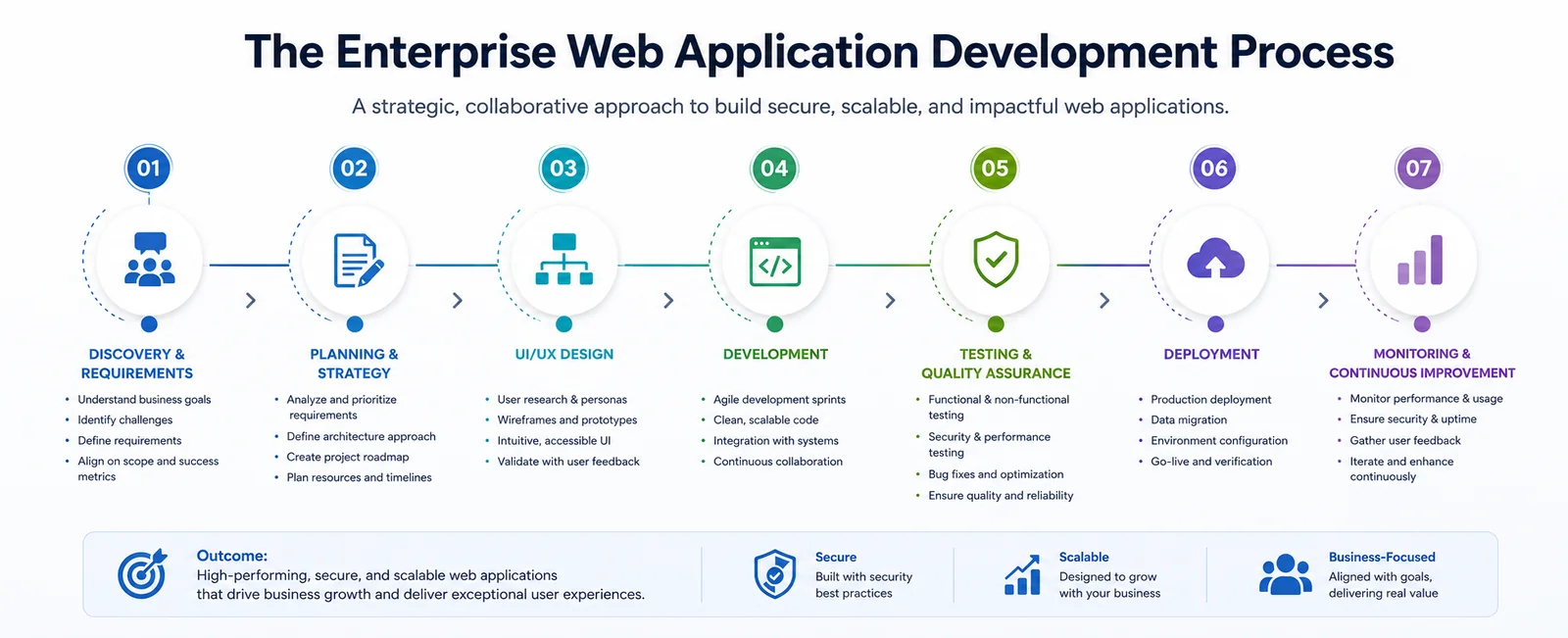
The best enterprise web application projects start with business discovery, not code.
Before choosing frameworks, screens, or hosting, the team needs to understand the process being improved. Who uses it? Where does work slow down? Which steps are manual? Which approvals are required? What data moves between systems? Who needs access, and who should never see certain information?
A strong process usually looks like this:
Discovery is often where the project is either protected or put at risk. If that phase is rushed, the later stages become harder. Developers need more clarification. Designers revise more screens. Stakeholders change direction. Users lose confidence.
Good planning is not a delay. It is how the project avoids avoidable rework.
How Much Enterprise Web Application Development Costs
The cost of enterprise web application development depends on the scope, number of features, user roles, integrations, security needs, design depth, testing requirements, and long-term support expectations.
A small internal workflow tool may be far less expensive than a multi-role platform with advanced dashboards, API integrations, data migration, and compliance requirements.
Here is a practical way to think about cost levels:
Main cost drivers include:
- Number of user roles
- Number of screens
- Workflow complexity
- Backend logic
- Database structure
- API integrations
- Data migration
- Security requirements
- Testing depth
- Reporting features
- Cloud hosting and DevOps setup
- Ongoing support
The better question is not only, "How much will this app cost?"
It is also, "What is the current process already costing the business?"
Lost time has a cost. Delayed approvals have a cost. Repeated data entry has a cost. Poor reporting has a cost. Customer frustration has a cost. A well-planned enterprise app should reduce those hidden losses.
How Long It Takes to Build an Enterprise Web Application
A focused enterprise web application may take a few months. A larger enterprise platform can take six months or more, depending on the scope and the amount of technical complexity involved.
Typical timelines often look like this:
Timelines usually grow when the project includes:
- Legacy system integrations
- Data migration
- Complex approval flows
- Multiple user groups
- Compliance requirements
- Custom reporting
- Performance testing
- Security reviews
- Multi-location workflows
In operations-heavy projects, the interface is not always the slowest part. The deeper work is often in the rules: who can approve, who can reject, who can edit after approval, who sees archived records, what happens when someone is unavailable, and how exceptions should be handled.
Those rules take time because they represent how the business actually runs.
Business Benefits of Enterprise Web Applications
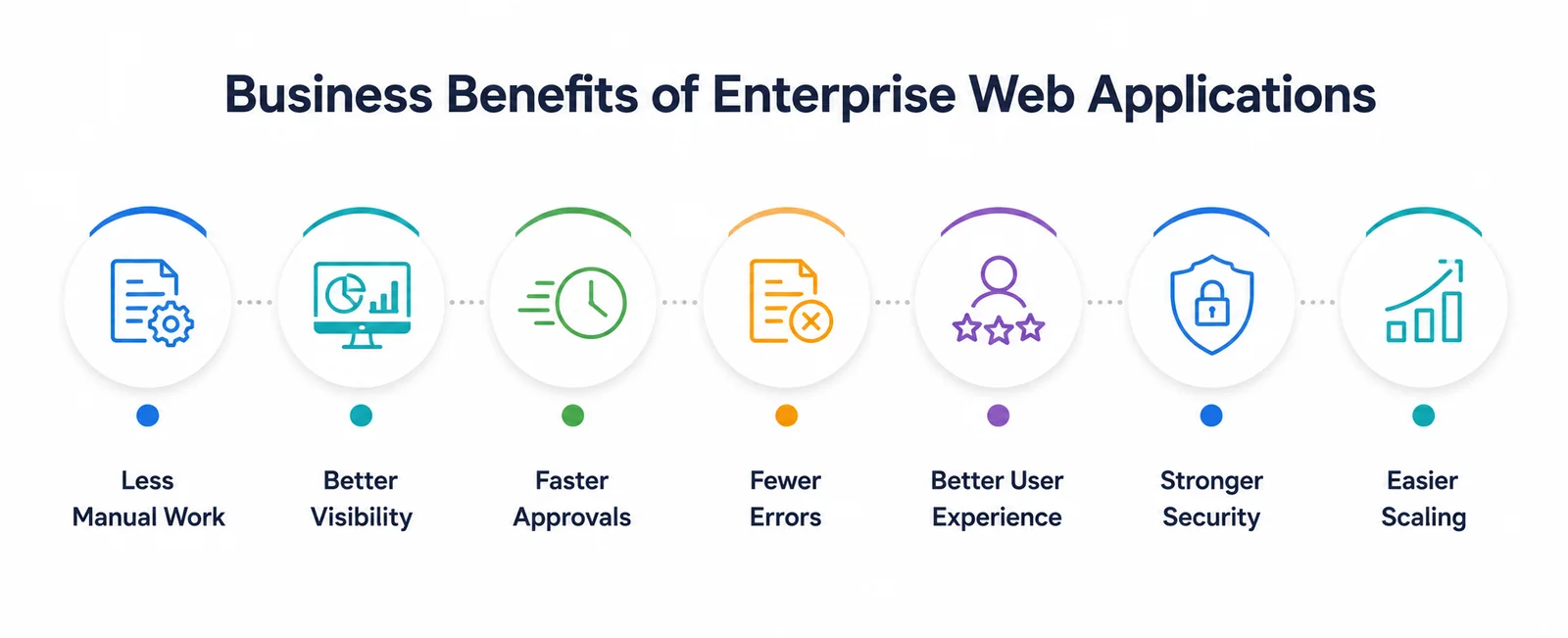
Enterprise web applications help companies reduce manual work, improve visibility, speed up operations, and give users a clearer way to interact with business processes.
Less Manual Work
Manual work often hides in plain sight: email follow-ups, status calls, spreadsheet updates, repeated data entry, file sharing, and small checks that happen dozens of times a week.
An enterprise app can move these actions into one controlled system.
Better Visibility
Dashboards help teams see what is happening now. Managers do not have to wait for someone to prepare a report. Leadership can review status, delays, bottlenecks, and performance directly.
Faster Approvals
Workflow automation helps requests move from one person to another without getting buried in inboxes.
Fewer Errors
When data is entered once and moves through a structured process, mistakes are easier to reduce and trace.
Better User Experience
Employees, customers, vendors, and managers get cleaner screens, clearer steps, and fewer confusing handoffs.
Stronger Security
Role-based access, authentication, audit trails, and controlled permissions help protect sensitive business data.
Easier Scaling
A well-planned app can grow as teams, locations, data volume, and user needs increase.
McKinsey's Developer Velocity research found that companies in the top quartile of its Developer Velocity Index outperformed bottom-quartile peers by up to five times on 2014 to 2018 revenue growth. The 2024 DORA report draws on more than 39,000 professionals across a decade of research into software delivery and operations. Together, the findings show why software capability is a business concern, not only an IT concern.
Common Challenges in Enterprise Web Application Development
Enterprise web app projects become difficult when planning, data, integrations, adoption, or long-term support are underestimated.
The biggest mistake is trying to build everything at once.
A phased approach is usually safer. Build the highest-value workflow first. Launch it. Watch how users respond. Improve it. Then expand.
That approach may feel less dramatic, but it works better for real teams.
What to Build First
Start with the workflow that creates the most pain or the clearest business value. The first version should solve one important problem well, not attempt to cover every possible request.
Good first modules often include:
- User login and access control
- Admin dashboard
- Request management
- Approval workflow
- Reporting dashboard
- Customer or vendor portal
- Document management
- Notification system
- Search and filters
- Basic API connections
For example, a logistics company may begin with shipment status tracking. A healthcare business may start with patient request management. A manufacturing company may focus on inventory visibility. A service business may begin with customer ticket handling.
The first successful module matters because it builds trust. Once teams see that the system works, they are more open to the next phase.
Technology Stack for Enterprise Web Applications
The right technology stack depends on the project, team, existing systems, scalability needs, budget, and security requirements.
Common frontend options include:
- React
- Angular
- Vue
- Next.js
Common backend options include:
- Node.js
- Python
- Java
- .NET
- PHP Laravel
Common database options include:
- PostgreSQL
- MySQL
- MongoDB
- SQL Server
Common cloud and DevOps tools include:
- AWS
- Azure
- Google Cloud
- Docker
- Kubernetes
- CI/CD pipelines
- Monitoring tools
The best stack is not always the trendiest one. It should fit the business goals, current systems, internal skills, security needs, performance expectations, budget, and future roadmap.
A good development partner should explain the tradeoffs clearly. If someone recommends a stack before understanding the workflow, users, and data, that is a reason to slow down.
Technology should serve the product. It should not become the product strategy by itself.
How Enterprise Web Apps Support AI and Automation
Modern enterprise web applications can support AI, automation, and analytics when the data model and APIs are planned properly.
Many companies are now looking at:
- AI-powered dashboards
- Predictive analytics
- Automated customer support
- Smart document processing
- Workflow recommendations
- AI search across company records
- Automated task routing
- Risk scoring
- Demand forecasting
AI features need a strong foundation. If the system stores messy data, relies on unclear workflows, or keeps key information outside the application, AI will struggle to deliver useful results.
That is why enterprise web application development should think ahead. Even if AI is not included in phase one, the product can still be designed so smarter features can be added later.
A good enterprise app becomes more than a workflow tool. It becomes a reliable data foundation for future growth.
Choosing an Enterprise Web Application Development Partner

Choose a partner who takes the time to understand the business process before talking too much about code.
A good development partner should ask:
- What problem are we solving?
- Who will use the app?
- What does the current process look like?
- Where does work slow down?
- What data needs to move between systems?
- Which roles need access?
- What reports do leaders need?
- What security risks exist?
- What should be built in phase one?
- What can wait?
At Deuex Solutions, we focus on building digital systems around real business needs. That includes discovery, UX planning, web application development, integrations, testing, and long-term support.
The right partner should not push a large build immediately. They should help you prioritize the work that will create the most value first.
Example: How an Enterprise Web App Improves Operations
Imagine a company managing vendor approvals through email.
At first, the process seems manageable. Then the vendor base grows. Requests get missed. Attachments are hard to find. Finance cannot quickly confirm old approvals. Managers ask for status updates every day. Reports take too long. No one is fully sure which requests are stuck.
A custom enterprise web app can bring that process into one system with:
- Vendor login
- Request forms
- Document uploads
- Approval routing
- Status tracking
- Finance review
- Notifications
- Audit history
- Reporting dashboard
Now vendors can see where things stand. Managers can review what is pending. Finance can find approved records. Leadership can get reports without asking five people for updates.
The app does not just digitize the old process. It makes the process easier to control.
That is the real value.
Ready to Build an Enterprise Web Application That Fits Your Business?
Enterprise software should not feel like extra work. It should make work clearer, reduce repeated tasks, and help teams see what is happening without chasing updates all day.
Good enterprise web application development starts with the business process, not the technology trend. The goal is to build a secure, scalable, and usable system that supports how the company actually operates.
At Deuex Solutions, we help businesses plan, design, develop, and support enterprise web applications built around real workflows, secure architecture, and long-term growth.
Explore our web application development services, or contact our team to discuss your project.
Let us turn your complex business process into a secure, scalable, and easy-to-use enterprise web application.
Related reading
- React vs Vue vs Angular for Modern Enterprise Web Apps
- Digital Transformation in Dubai: A Practical Playbook for Mid-Size Businesses
- The Future of Predictive Analytics in UAE: Trends, Challenges & Opportunities
- From MVP to Enterprise Platform: Web Apps That Grow with Demand


Sanket Shah
CEO & Founder
I am Sanket Shah, founder and CEO of Deuex Solutions, where I focus on building scalable web mobile and data driven software products with a background in software development. I enjoy turning ideas into reliable digital solutions and working with teams to solve real world problems through technology.