

Quick Summary / Key Takeaways
-
Cloud application development means designing software to run through cloud infrastructure and managed services rather than depending on one office server or fixed hardware setup.
-
Moving an old application to cloud hosting is not the same as building a cloud-native application.
-
A sensible cloud strategy begins with a business need, such as faster releases, remote access, seasonal scaling, better recovery, or lower operating burden.
-
Businesses can choose from virtual machines, managed platforms, containers, serverless services, or a mix of these options.
-
Microservices are not required for every cloud application. A well-structured single application may be cheaper and easier to manage.
-
Security, backups, monitoring, cost controls, and recovery plans should be designed before launch.
-
Flexera’s 2026 survey of 753 cloud professionals found that 73% of surveyed organizations operated hybrid cloud estates. The same study estimated that 29% of infrastructure and platform cloud spending was wasted.
-
Cloud-native tools are widely used, but popularity should not decide architecture. CNCF’s latest survey reported that 82% of container users ran Kubernetes in production.
-
The best cloud application is not the one using the most services. It is the one that meets business needs without creating an operating system the team cannot manage.
The cloud project began with a receipt.
AED 4,760 for an emergency server repair.
Someone had stapled a handwritten note to it: “Order system unavailable for four hours. Warehouse used paper forms.”
By the time the repair was finished, 317 orders had to be entered again.
The managing director looked across the meeting table and asked the question many companies eventually ask:
“Can we move this application to the cloud?”
The technology lead paused.
“Yes,” she said. “But if we move it exactly as it is, we may just rent the same problem by the hour.”
That distinction sits at the center of this guide.
Cloud application development is not simply moving software away from an office server. It is deciding how an application should be designed, operated, secured, scaled, and paid for once the limits of that server disappear.
Businesses exploring custom applications, cloud platforms, data products, or system modernization can review the software development services offered by Deuex Solutions.
What Is Cloud Application Development?
Cloud application development is the process of building software that uses cloud-based computing, storage, databases, messaging, security, and operational services.
NIST defines cloud computing as on-demand access to a shared pool of configurable computing resources that can be provisioned and released with limited management effort.
That definition sounds technical.
The business version is simpler.
Instead of buying enough hardware today to survive a possible traffic spike two years from now, a company can obtain computing resources as they are needed. Instead of manually installing a database on a physical machine, the team can use a managed database service. Instead of waiting for someone to replace a failed disk, the application can be designed to recover through another resource.
A cloud application may be:
-
A customer portal
-
A mobile app backend
-
An ecommerce platform
-
A SaaS product
-
An internal operations system
-
An analytics dashboard
-
An IoT platform
-
A document-processing tool
-
An AI-backed business application
-
A replacement for older desktop or server software
The word “cloud” does not describe one architecture.
It describes a range of choices.
The First Question: Why Does the Business Need Cloud?
At the repair meeting, everyone had a different reason.
Operations wanted fewer outages.
Sales wanted access outside the office.
Finance wanted to avoid buying another server.
The managing director wanted an AI assistant added to the order system.
All four requests pointed toward cloud technology. They did not point toward the same project.
Before selecting a provider or architecture, ask what should change for the business.
Good reasons may include:
-
Customers need 24-hour access
-
Employees work across several locations
-
Demand changes sharply during certain periods
-
Releases take too long
-
Recovery from failure depends on one person
-
Hardware is approaching replacement
-
New partners require APIs
-
Data is scattered across several systems
-
The company plans to launch an AI feature
-
Expansion into new markets requires regional deployment
“Everyone is moving to cloud” is not a sufficient reason.
Neither is “cloud will be cheaper.”
It can be cheaper. It can also become surprisingly expensive when resources remain unused, data transfer grows, or teams create services nobody owns.
The business case should name an outcome.
For the company in our story, the first outcome was straightforward:
Restore order processing within 30 minutes of a major failure, without re-entering completed work.
That gave the cloud discussion a purpose.
Cloud-Hosted vs Cloud-Native: What Is the Difference?
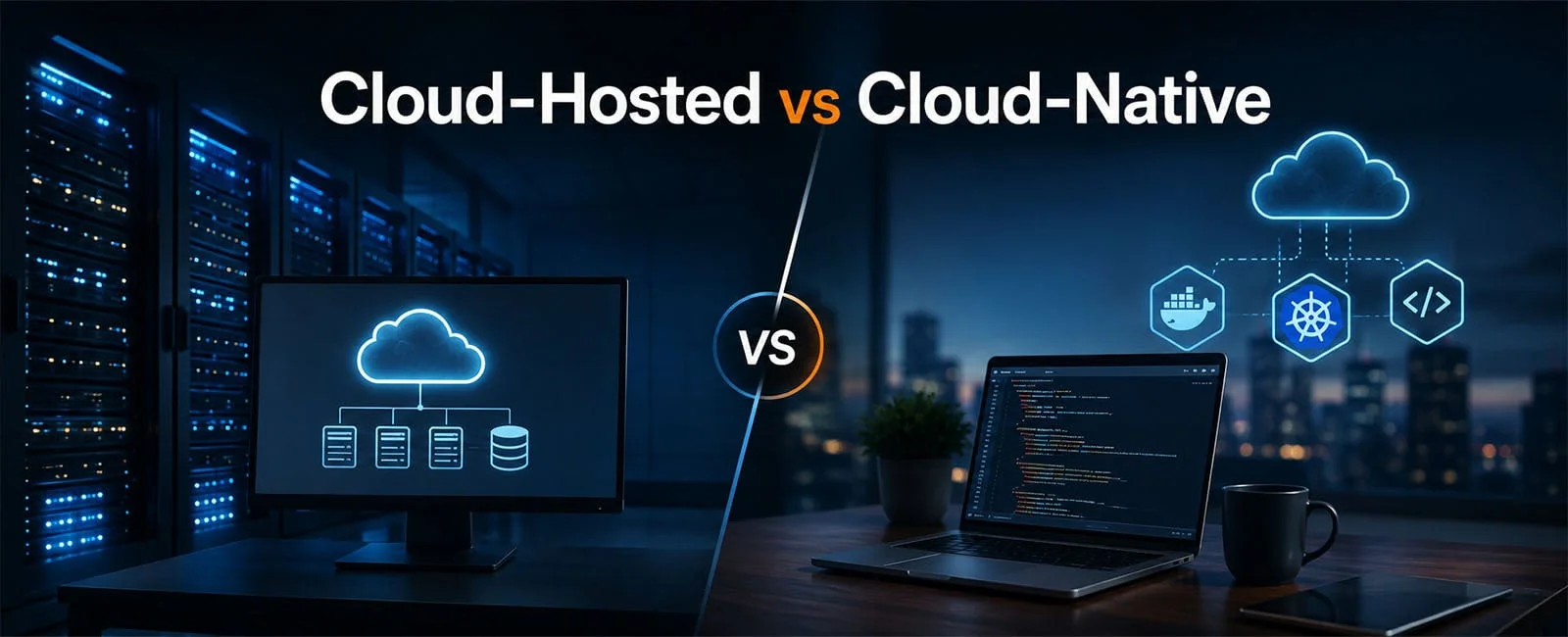
A cloud-hosted application runs in cloud infrastructure.
A cloud-native application is designed to take advantage of the way cloud platforms work.
The difference matters.
Imagine moving an old office filing cabinet into a modern warehouse. The cabinet is now in a better building, but its contents are still organized the old way.
That is similar to cloud hosting.
Cloud-native development would question the cabinet itself. Should the documents be searchable? Should several teams access them? Should the system create alerts? Should records have backups and retention rules?
Cloud-hosted is not bad.
Sometimes it is the right first step.
A business with aging hardware may move its existing application to virtual machines, improve backups, and reduce immediate risk. Later, it can modernize the parts that limit growth.
The mistake is calling the move complete when the business problem remains.
Should You Rehost, Replatform, Refactor, or Rebuild?
The technology lead wrote four options on the whiteboard.
Rehost
Move the application to cloud servers with few code changes.
This is often called “lift and shift.”
It can reduce hardware pressure and shorten a data-center exit. It rarely changes the way the application behaves.
Replatform
Make selected changes while keeping most of the application.
The company might move from a self-managed database to a managed database, place files in cloud storage, or add automated backups.
This can produce useful gains without rewriting everything.
Refactor
Change parts of the application so it can use cloud services more effectively.
A large reporting process might become a background job. File processing might become event driven. One overloaded module may be separated from the rest.
Refactoring can improve scale and releases, but it needs strong testing.
Rebuild
Create a new application around current business needs.
This makes sense when the old system no longer fits the workflow, the code is difficult to change, or the company wants a product that the existing software cannot support.
It carries the highest delivery risk.
The company did not choose one option for the whole system.
It rehosted the reporting archive, replatformed the database, refactored order imports, and planned to rebuild the warehouse screen later.
That mixed approach was less dramatic.
It was also more sensible.
Which Cloud Development Model Should a Business Choose?
Cloud services are often grouped into infrastructure, platform, container, and serverless models.
Each model changes how much the cloud provider manages and how much remains with your team.
There is no prize for choosing the model with the highest technical vocabulary.
Virtual machines may be perfectly reasonable for a stable application.
Serverless can work well for irregular tasks, such as processing an uploaded invoice. It may be a poor fit for a long-running process with predictable constant demand.
Containers provide portability and control. They also introduce networking, deployment, monitoring, and security work.
CNCF’s latest research found that 82% of surveyed container users operated Kubernetes in production. That shows how established the technology has become. It does not mean every business application needs Kubernetes.
A small team can spend more time managing its platform than improving its product.
Choose the operating burden as carefully as the technology.
What Does a Practical Cloud Application Architecture Include?
A business user may see one application.
Behind it, a cloud system usually contains several layers.
Employees, Customers, Mobile Apps
↓
Web Interface and APIs
↓
Identity, Permissions, Business Rules
↓
Databases, Files, Search, Messaging
↓
Cloud Infrastructure and Managed Services
↓
Monitoring, Security, Backups, Cost Controls
A practical architecture may include:
User Interface
The web or mobile experience where people complete tasks.
API Layer
The controlled route through which applications exchange information.
Identity and Access
Login, multifactor authentication, user roles, service accounts, and permissions.
Business Logic
The rules that decide what the application should do.
Data Layer
Databases, file storage, search indexes, caches, and data pipelines.
Messaging and Background Work
Queues or event services that handle tasks outside the immediate user request.
Monitoring
Logs, performance metrics, errors, alerts, and traces across services.
Delivery Pipeline
The process that tests and releases software changes.
Security Controls
Encryption, network rules, secret storage, vulnerability checks, and audit history.
Recovery Systems
Backups, replicas, failover plans, and tested restoration procedures.
Cloud architecture guidance from AWS groups sound design around six areas: operational excellence, security, reliability, performance, cost, and sustainability.
Those areas are connected.
A faster application that leaks data is not successful.
A secure application that costs more than the product earns has another problem.
Do Businesses Need Microservices?
No.
Microservices divide an application into smaller independently deployed services. They can help large teams release parts of a system separately and scale high-demand functions without scaling everything.
They also create more moving pieces.
A microservice may need:
-
Its own deployment
-
API contracts
-
Monitoring
-
Authentication
-
Network rules
-
Failure handling
-
Data ownership
-
Version control
-
Operational support
A well-structured single application is often a better starting point for a small or mid-size business.
This is sometimes called a modular monolith. The application remains one deployable product, but the code is divided into clear business areas.
The company in our story kept orders, customers, inventory, and billing in one application during the first phase.
Only document processing was separated because it consumed heavy resources and delayed other work.
One boundary. One reason.
That is a healthier architecture decision than creating twelve services because a diagram looks modern.
How Should Data Be Designed for Cloud Applications?
Moving an application to cloud infrastructure does not clean its data.
If customer names are duplicated, stock records disagree, or users share accounts, those problems travel with the application.
Cloud data planning should answer:
-
Which system owns each record?
-
Where is customer data stored?
-
How long should records be kept?
-
Which users can view or change them?
-
Which data needs encryption?
-
How is data backed up?
-
How will records be removed?
-
Can reporting queries affect the live application?
-
Does data need to stay within a specific region?
-
How will AI tools access information later?
The order company discovered three customer databases during its assessment.
Sales used the CRM. Finance used accounting software. Operations maintained a spreadsheet.
All three contained different addresses.
The cloud project paused for two weeks while the business decided which source should own customer records.
That delay felt frustrating.
It prevented a much larger mess.
A cloud database can answer quickly.
It cannot decide which answer is true.
How Secure Are Cloud Applications?
Cloud platforms can provide strong security tools, but the provider does not secure every choice made inside the application.
This is often described as shared responsibility.
The provider protects the physical facilities and underlying cloud services. The customer remains responsible for areas such as identities, permissions, application code, data handling, configuration, and many network choices.
Cloud application security should include:
-
Multifactor authentication
-
Least-privilege access
-
Encryption in transit and at rest
-
Secure storage for passwords and keys
-
Audit logs
-
Network controls
-
Dependency scanning
-
Code review
-
Backup protection
-
Incident response
-
Data retention rules
-
Regular permission reviews
Do not give every administrator permanent access to production.
Do not place secret keys inside source code.
Do not assume a private storage bucket cannot become public through a later configuration change.
Google’s cloud architecture guidance recommends designing security from the beginning, using layered controls and encryption rather than treating security as a final review.
That advice sounds obvious.
Many expensive lessons begin with something obvious that nobody owned.
How Should Reliability and Disaster Recovery Be Planned?
Reliability means the application continues performing its intended function under defined conditions.
Recovery means the business knows what to do when it does not.
Two targets help shape the plan:
Recovery Time Objective: How long can the application remain unavailable?
Recovery Point Objective: How much recent data can the business afford to lose?
The order company decided:
-
The application could be unavailable for no more than 30 minutes.
-
Confirmed orders could not be lost.
-
Reporting data could be restored from a slightly older copy.
-
The customer portal could operate in a limited mode during a serious incident.
Different parts of the system received different recovery plans.
That saved money.
Not every workload needs instant failover across several regions.
A reliable plan may include:
-
Automated database backups
-
Point-in-time recovery
-
Multiple availability zones
-
Health checks
-
Queues that preserve unfinished work
-
Clear incident ownership
-
Status communication
-
Restoration exercises
-
A manual fallback for core business tasks
A backup that has never been restored is a hope.
Test it.
How Do DevOps and Cloud Application Development Work Together?
Cloud resources can be created quickly.
Manual processes can still make releases painfully slow.
DevOps practices connect development and operations through automation, shared ownership, monitoring, and frequent feedback.
A typical delivery pipeline may:
-
Check new code
-
Run automated tests
-
Scan dependencies
-
Build the application
-
Create infrastructure changes
-
Deploy to a test environment
-
Run further checks
-
Release to production
-
Monitor the result
-
Roll back if necessary
Infrastructure should also be defined as code where practical.
That means environments can be reviewed and recreated rather than assembled through undocumented clicks.
Real-world vendor case studies show what this can change. Tessitura reported reducing deployment time from four hours to under five minutes after modernizing its delivery process and cloud infrastructure.
Jabil reported deployment-time reductions of 67% to 83%, a 74% drop in data-processing time, and 23% savings from serverless connections in an AWS case study.
These are company-specific, vendor-published outcomes. They should not be treated as guaranteed results.
They do show that cloud value often comes from changing delivery and operations, not merely changing where the server lives.
Why Do Cloud Costs Surprise Businesses?
Cloud billing is based on consumption.
That sounds fair.
It also means cost can grow through thousands of small technical decisions.
Common cost drivers include:
-
Compute time
-
Database size and performance
-
File storage
-
Backups
-
Data transfer
-
Logs
-
Search services
-
Network gateways
-
Idle test environments
-
AI model usage
-
High-availability resources
-
Third-party monitoring tools
-
Support plans
Flexera’s 2026 State of the Cloud survey found that hybrid cloud remained the leading approach among respondents, with 73% operating hybrid estates. It also estimated wasted infrastructure and platform spending at 29%.
Waste usually does not come from one scandalously large server.
It comes from forgotten test environments, oversized databases, logs stored forever, unused disks, duplicated tools, and resources without owners.
Cloud cost management should begin during design.
The most useful metric may not be the total cloud bill.
It may be cloud cost per order, active customer, processed document, or completed transaction.
That connects engineering choices to business value.
Public, Private, Hybrid, or Multi-Cloud?
Businesses do not need to choose one cloud model for every system.
Public Cloud
Infrastructure and managed services are provided through a shared commercial cloud platform.
This is usually the fastest option for new applications.
Private Cloud
Cloud-like infrastructure is dedicated to one organization.
It can provide greater control but also creates more management work.
Hybrid Cloud
The company uses both cloud services and private or on-premises systems.
This is common when older applications, equipment, or data cannot move immediately.
Multi-Cloud
The company uses services from more than one public cloud provider.
This may be a deliberate strategy.
It may also be the accidental result of different teams choosing different tools.
Multi-cloud can reduce dependence on one provider for selected workloads. It can also duplicate skills, monitoring, security policies, networking, and support.
Use a second provider when there is a clear business reason.
Fear alone can create an expensive architecture.
How Is AI Changing Cloud Application Development?

Most AI applications depend heavily on cloud resources.
They may require model APIs, document storage, vector search, GPUs, event processing, data pipelines, monitoring, and controls around customer information.
Useful cloud AI features include:
-
Document extraction
-
Natural-language search
-
Customer support assistants
-
Forecasting
-
Image analysis
-
Anomaly detection
-
Report summaries
-
Workflow agents
-
Recommendation systems
AI changes cost behavior.
A normal software feature may have fairly predictable infrastructure usage. An AI feature may create a charge every time a model reads a document or produces an answer.
The application should track:
-
Cost per request
-
Model response time
-
Failed calls
-
Customer usage
-
Sensitive-data access
-
Human corrections
-
Quality by task
-
Fallback behavior
Do not connect an AI agent to production systems with broad access because the demonstration looked convincing.
Start with read-only or suggestion-based use cases.
Expand permissions only when the team understands how errors will be contained.
What Does a Cloud Application Development Process Look Like?
A practical process moves from the business case to architecture, delivery, operation, and repeated improvement.
The order company launched in stages.
First came cloud hosting, backups, and a managed database.
Then automated order imports.
The warehouse interface followed later.
The company did not wait for a grand final release.
Risk fell piece by piece.
How Long Does Cloud Application Development Take?
A focused cloud application may take several months.
A large modernization program can take much longer.
Timeline depends on:
-
Application complexity
-
Data quality
-
Number of integrations
-
Security requirements
-
Legacy dependencies
-
User roles
-
Mobile support
-
Migration volume
-
Testing depth
-
Team availability
The company in our story spent more time understanding dependencies than moving the initial application.
That was not wasted time.
The team discovered that the order system depended on a shared office folder, two scheduled scripts, an email inbox, and a printer setting nobody had documented.
Cloud migration has a habit of revealing the architecture you already had.
What Mistakes Should Businesses Avoid?

Moving Every Application First
Start with systems where the business value and migration risk are understandable.
Rebuilding Before Understanding
Old code often contains business rules nobody has documented.
Choosing Microservices by Default
Smaller services do not automatically create a simpler system.
Ignoring Cloud Exit
Keep usable backups, documented data formats, and a clear understanding of provider-specific dependencies.
Treating Cost as a Finance Problem
Developers and architects create most cloud costs through design choices.
Buying Every Managed Service
Each service may reduce one task while adding another vendor dependency.
Delaying Monitoring
You cannot operate what you cannot see.
Assuming Backups Equal Recovery
Restore drills reveal whether backups work.
Giving AI Too Much Access
A helpful agent with broad permissions can become an operational risk.
Forgetting the Internal Team
A technically sound cloud application still fails when employees cannot support, monitor, or change it.
Move the Business Problem, Not Just the Server
Six months after the emergency repair, the order company no longer kept a server in the office.
That was not the most meaningful result.
Orders survived failures. Remote teams could work securely. Releases stopped requiring a weekend visit. Finance could see technology cost by business activity.
The warehouse still had work to do.
Some screens remained awkward. Several reports needed attention. The cloud had not made every process perfect.
It had given the company a better place to improve from.
That is the real goal of cloud application development.
Not to collect services.
Not to draw a complicated architecture.
To give the business software that can change, recover, and grow without requiring a new emergency every time demand moves.
At Deuex Solutions, we help businesses assess existing applications, plan cloud architecture, modernize older systems, and build custom cloud products around measurable operating needs.
Ready to decide what should move, what should change, and what should stay alone? Contact Deuex Solutions to discuss your cloud application.
Do not move yesterday’s limitations into a newer data center. Build the next version of the business deliberately.
Related reading
Primary Sources
- Flexera State of the Cloud
- CNCF annual cloud native survey
- AWS case study: Jabil
- AWS case study: Tessitura


Sanket Shah
CEO & Founder
I am Sanket Shah, founder and CEO of Deuex Solutions, where I focus on building scalable web mobile and data driven software products with a background in software development. I enjoy turning ideas into reliable digital solutions and working with teams to solve real world problems through technology.


