Hey, fellow code explorers! 🚀 Ever wished your web apps could be faster, lighter, and more efficient? Meet your coding superhero - Tree Shaking! 🌳 Let's dive into the world of Tree Shaking and discover how it can revolutionize the way you write JavaScript and React.
If your team needs implementation support in this area, explore Deuex Solutions' React.js development services for planning, delivery, testing, and ongoing improvement.
What's this Tree Shaking Buzz All About?
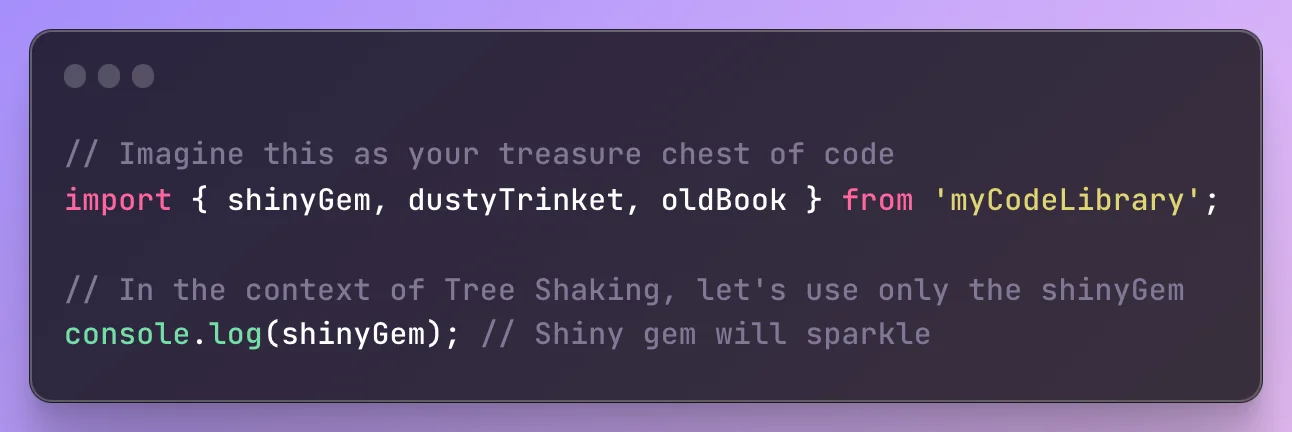
Imagine your code is a treasure chest. Tree Shaking is like having a magical wand that helps you pick out only the shiny gems you need, leaving behind the cobwebs and dusty trinkets. In simpler terms, it's all about making your code lighter and faster.
Why does Tree Shaking matter to you?
Have you ever felt like your website is taking a slow, scenic route instead of the express lane? Tree Shaking is your shortcut! It removes unnecessary code, turning your website into a speedy race car instead of a sluggish snail.
Let's dive in with an example: Optimizing Lodash with Tree Shaking
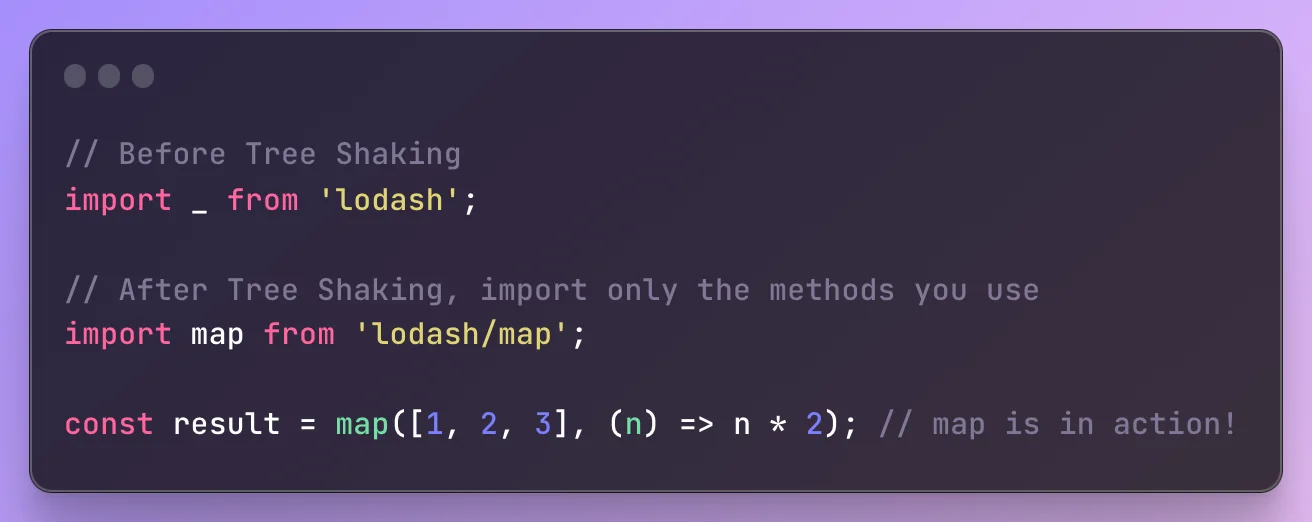
Imagine you're building a React app and love using lodash for its utility functions. However, you only need a few methods, not the entire library. Without Tree Shaking, your bundled JavaScript includes the whole of lodash library, making your app larger than necessary.
- Before Tree Shaking:
-
Your bundle includes the entire lodash library, even if you only use a few methods.
-
Result: Larger bundle size, slower app load times.
- After Tree Shaking:
-
Only the lodash methods you use are included in the final bundle.
-
Result: Smaller bundle size, faster app load times.
Getting Cozy with Tree Shaking in React:
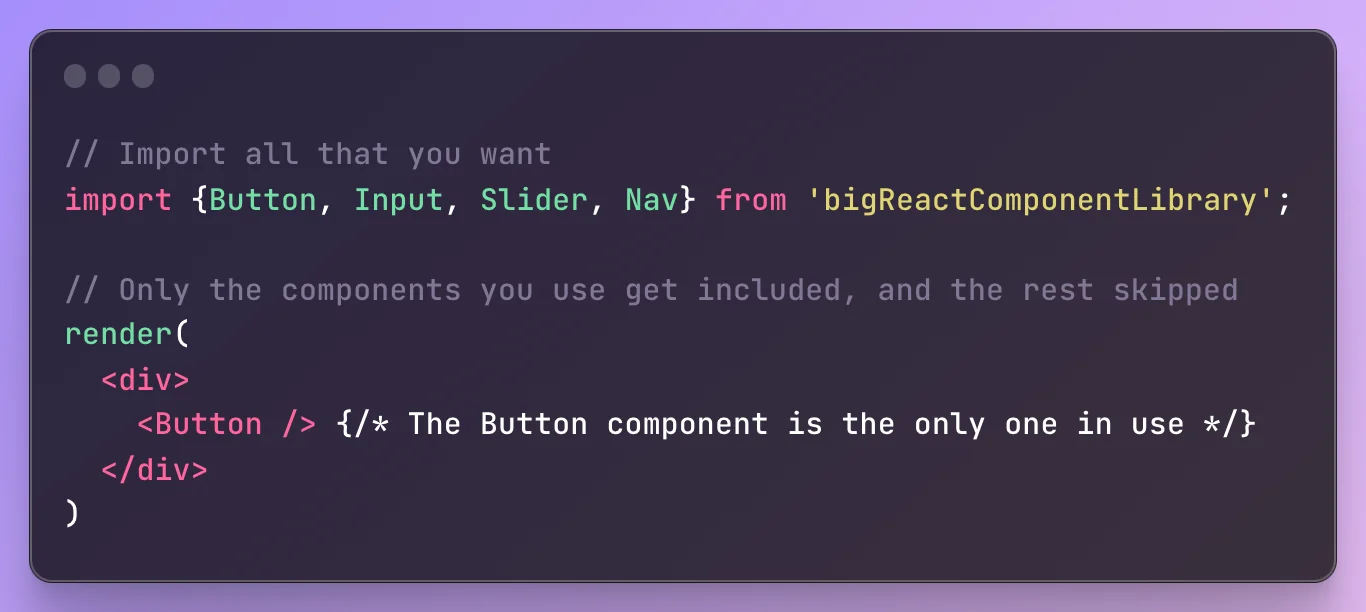
In React-land, components are like building blocks. Tree Shaking is your friendly Lego assistant, helping you pick out only the Lego pieces you need for your marvelous creation. Less mess, more fun!
Why should you get excited?
Zooming speeds: Make your apps load faster and keep users engaged.
Less overhead: Use only what you need, no unnecessary baggage.
Coding confidence: Mastering Tree Shaking makes you a coding wizard!
Ready to shake things up?
Tree Shaking might sound like a coding dance move, but it's a friendly sidekick for any developer. Next time you're building, give it a spin! 🌳✨
Related reading
A Production Validation Workflow
Tree shaking should be treated as a measurable build optimisation, not a checkbox. Start by recording a production bundle baseline. Capture the JavaScript transferred on the first route, the largest async chunks, compression size, and the modules that dominate them. Keep that baseline with the change so reviewers can see whether the optimisation moved the right number.
Next, verify module boundaries. Static import and export statements give bundlers the clearest dependency graph. A package that mixes CommonJS, dynamic property access, or broad barrel exports can retain more code than expected. Import the smallest public entry point the package supports, but avoid undocumented deep imports that may break on upgrade.
Check side effects before changing package metadata. The sideEffects field can help a bundler remove unused files, but an incorrect value can drop required global CSS, polyfills, registration code, or module initialisation. Mark only files you have verified. Run production tests after each change, including routes that are loaded lazily and flows that depend on third-party packages.
Use a bundle analyser to confirm what remains. If an apparently unused library is still present, trace which import retains it. Replace namespace imports where the library documents a smaller alternative. Split route-specific or editor-only code with dynamic imports when the loading experience remains acceptable. Do not fragment the bundle into many tiny requests without measuring the effect.
Finally, compare real output. Build in production mode, open representative routes, exercise delayed interactions, and watch for console errors or missing styles. Compare bundle bytes and Core Web Vitals before and after deployment. A smaller bundle is useful only when the product still behaves correctly and users receive a measurable improvement.
The Webpack tree shaking guide explains side-effect handling, the Rollup treeshake options document compiler controls, and MDN JavaScript modules provides the language-level foundation.


Sanket Shah
CEO & Founder
I am Sanket Shah, founder and CEO of Deuex Solutions, where I focus on building scalable web mobile and data driven software products with a background in software development. I enjoy turning ideas into reliable digital solutions and working with teams to solve real world problems through technology.