Type-driven development is a transformative approach that prioritizes type design before implementation, fundamentally changing how developers build robust and maintainable applications. This comprehensive guide explores the principles, techniques, and benefits of type-driven development using TypeScript, providing practical insights for modern software development teams.
If your team needs implementation support in this area, explore Deuex Solutions' frontend development services for planning, delivery, testing, and ongoing improvement.
What is Type-Driven Development?
Type-driven development is a software development methodology where developers design and define types first, then implement functionality to match those type specifications. Rather than writing code and adding types as an afterthought, this approach treats types as the foundational blueprint that guides the entire development process.
This methodology leverages TypeScript's powerful type system to create self-documenting code, prevent runtime errors, and improve overall code quality. By modeling your domain at the type level before writing implementation logic, you can catch logical errors early and ensure your code accurately represents business requirements.
Core Principles of Type-Driven Development
Make Invalid States Unrepresentable
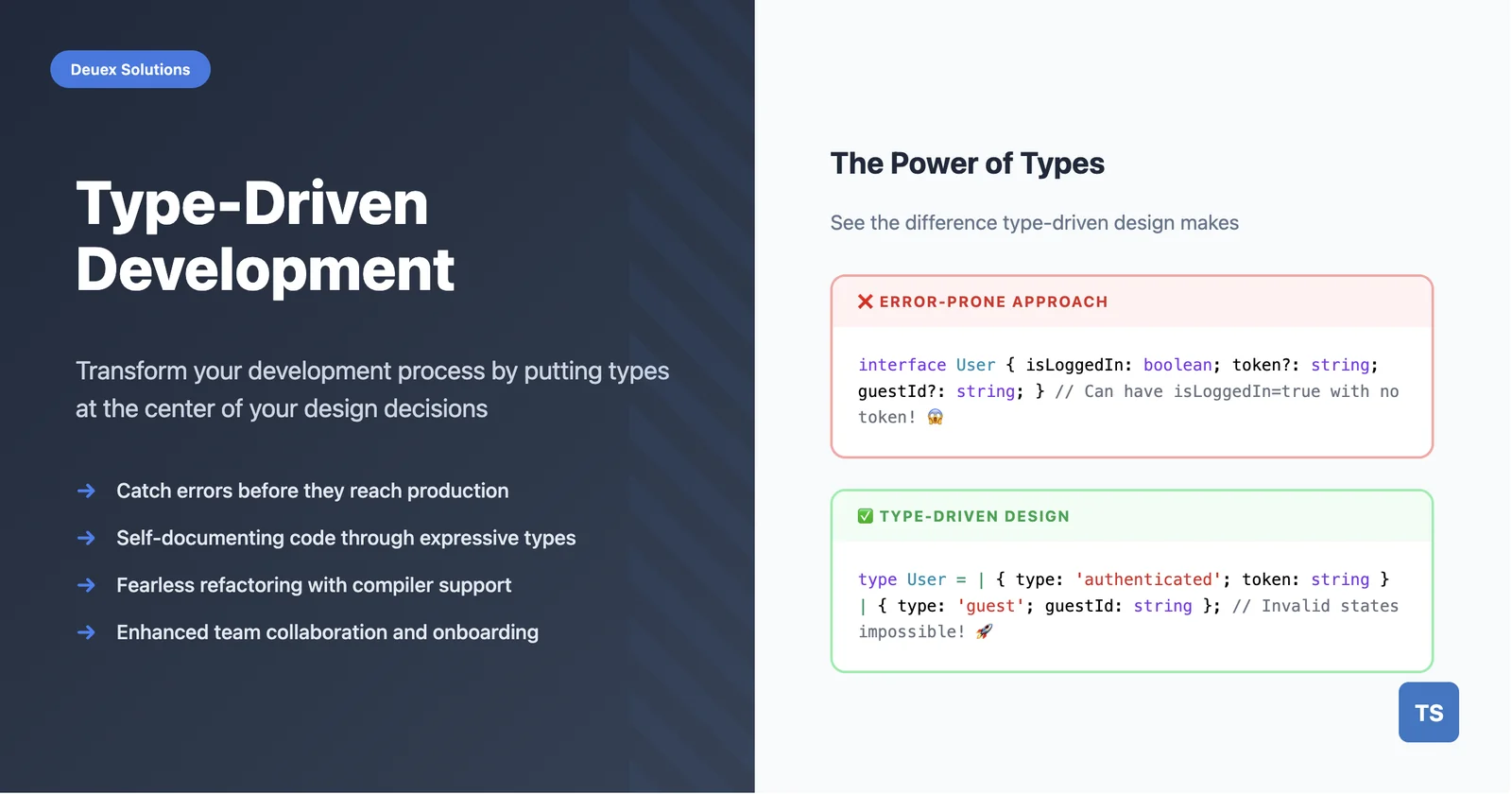
The fundamental principle of type-driven development is designing types that make it impossible to represent invalid states in your application. Instead of relying on runtime checks and developer discipline, you encode business rules directly into the type system.
// Poor approach: Allows invalid combinations
interface User {
  isAuthenticated: boolean;
  authToken?: string;
  guestId?: string;
}

// Type-driven approach: Invalid states are impossible
type User =
  | { type: 'authenticated'; authToken: string; userId: string }
  | { type: 'guest'; guestId: string };
Domain Modeling Through Types
Type-driven development emphasizes modeling your business domain accurately using TypeScript's type system. This involves creating types that represent real-world entities, relationships, and constraints.
type OrderStatus = 'pending' | 'confirmed' | 'shipped' | 'delivered';

type Order = {
  id: string;
  customerId: string;  // We'll improve this with branded types later
  items: OrderItem[];
  status: OrderStatus;
  createdAt: Date;
  totalAmount: number;
};

type OrderItem = {
  productId: string;  // We'll improve this with branded types later
  quantity: number;
  unitPrice: number;
};
Progressive Type Refinement
As your understanding of the domain evolves, types should be refined to capture more nuanced business rules and constraints.
// Evolution of type refinement

// Step 1: Simple type
type EmailV1 = string;

// Step 2: Branded type for better type safety (requires Brand helper)
type EmailV2 = string & { __brand: 'Email' };

// Step 3: More specific validation states
type EmailV3 =
  | (string & { __brand: 'UnvalidatedEmail' })
  | (string & { __brand: 'ValidatedEmail' });
Essential Techniques for Type-Driven Development
Now that we understand the core principles, let's explore the specific TypeScript features that make type-driven development powerful and practical.
Branded Types for Type Safety
Branded types solve a common problem in TypeScript: preventing the accidental misuse of primitive values that represent different concepts. While string and number are useful, they don't distinguish between a user ID and a product ID, both of which are strings.
The Problem Without Branded Types
// Without branded types - easy to make mistakes
function getUser(id: string) { /* ... */ }
function getProduct(id: string) { /* ... */ }

const userId = "user-123";
const productId = "prod-456";

// Oops! Passed wrong ID - TypeScript won't catch this
getUser(productId); // Runtime error waiting to happen
The Solution: Branded Types
Branded types add a unique "brand" or "tag" to primitive types, making them distinct at the type level while remaining the same at runtime.
// Modern branded type implementation (2025)
declare const __brand: unique symbol;
type Brand<T, B> = T & { [__brand]: B };

// Create distinct types for different concepts
type UserId = Brand<string, 'UserId'>;
type ProductId = Brand<string, 'ProductId'>;
type Email = Brand<string, 'Email'>;
type Price = Brand<number, 'Price'>;

// Now functions are type-safe
function getUser(id: UserId) { /* ... */ }
function getProduct(id: ProductId) { /* ... */ }
function sendEmail(to: Email) { /* ... */ }
function calculateTax(price: Price) { /* ... */ }
Creating Branded Values Safely
// Type-safe constructors with validation
function createUserId(value: string): UserId {
  if (!value.startsWith('user-')) {
    throw new Error('Invalid user ID format');
  }
  return value as UserId;
}

function createEmail(value: string): Email {
  const emailRegex = /^[^\s@]+@[^\s@]+\.[^\s@]+$/;
  if (!emailRegex.test(value)) {
    throw new Error('Invalid email format');
  }
  return value as Email;
}

function createPrice(value: number): Price {
  if (value < 0) {
    throw new Error('Price cannot be negative');
  }
  return value as Price;
}

function createProductId(value: string): ProductId {
  if (!value.startsWith('prod-')) {
    throw new Error('Invalid product ID format');
  }
  return value as ProductId;
}

// Usage

const userId = createUserId("user-123");
const productId = createProductId("prod-456");
const email = createEmail("john@example.com");

// TypeScript prevents mistakes
getUser(userId);     // ✅ Correct
getUser(productId);  // ❌ TypeScript error!
getUser(email);      // ❌ TypeScript error!
Real-World Benefits
-
Prevents ID Mix-ups: No more accidentally passing user IDs to product functions
-
Validates Data: Ensures values meet business rules before use
-
Self-Documenting: Function signatures clearly show what type of data is expected
-
Zero Runtime Cost: The branding exists only at compile time
Union Types for State Management
Union types are one of TypeScript's most powerful features for modeling data that can be one of several different types. They're perfect for representing states that are mutually exclusive - meaning only one can be true at a time.
// Instead of this error-prone approach:
// type BadApiResponse = {
//   loading: boolean;
//   data?: any;
//   error?: string;
// }; // Can have loading=true AND error="something" at the same time!

// Use union types to make invalid states impossible:
type ApiResponse<T> =
  | { status: 'loading' }                    // Only has loading state
  | { status: 'success'; data: T }           // Only has success + data
  | { status: 'error'; error: string };      // Only has error state

function handleApiResponse<T>(response: ApiResponse<T>) {
  switch (response.status) {
    case 'loading':
      return 'Loading...';
    case 'success':
      return response.data;  // TypeScript knows 'data' exists here
    case 'error':
      return `Error: ${response.error}`;  // TypeScript knows 'error' exists here
    // TypeScript ensures all cases are handled - try removing one case!
  }
}
Template Literal Types for String Manipulation
Template literal types are a powerful TypeScript feature that allows you to create new string types by combining and transforming existing string literal types. Think of them as "string templates" that work at the type level.
// Basic template literal types
type EventName = `on${Capitalize<string>}`;  // Matches strings like "onSomething"
type CSSProperty = `--${string}`;           // Matches CSS custom properties like "--color"

// Practical example: Generate event handler names from event types
type UserEvent = 'click' | 'hover' | 'focus';
type UserEventHandler = `on${Capitalize<UserEvent>}`;
// Results in: 'onClick' | 'onHover' | 'onFocus'

// Usage in React-like components
type ButtonProps = {
  [K in UserEventHandler]?: () => void;
};
// Creates: { onClick?: () => void; onHover?: () => void; onFocus?: () => void; }
The Type-Driven Development Workflow
With these techniques in your toolkit, let's look at how to apply type-driven development in practice. Here's a step-by-step workflow that you can follow in your projects.
Step 1: Domain Analysis and Modeling
Begin by thoroughly analyzing the problem domain and identifying key entities, relationships, and constraints. Create initial type definitions that capture the essential structure of your domain.
// E-commerce domain modeling (starting simple, we'll add branded types later)

type Product = {
  id: string;
  name: string;
  price: number;
  category: Category;
  inStock: boolean;
};

type Category = {
  id: string;
  name: string;
  parentCategory?: string;  // Optional parent category ID
};

type CartItem = {
  productId: string;
  quantity: number;
  unitPrice: number;
};

type ShoppingCart = {
  items: CartItem[];
  totalAmount: number;
  customerId: string;
};
Step 2: Type-First Implementation
Implement functionality to satisfy the type contracts you've defined. Let TypeScript guide your implementation by highlighting type errors and missing cases.
function addToCart(
  cart: ShoppingCart,
  product: Product,
  quantity: number
): ShoppingCart {
  const existingItem = cart.items.find(item => item.productId === product.id);

  if (existingItem) {
    return {
      ...cart,
      items: cart.items.map(item =>
        item.productId === product.id
          ? { ...item, quantity: item.quantity + quantity }
          : item
      ),
      totalAmount: cart.totalAmount + (product.price * quantity)
    };
  }

  return {
    ...cart,
    items: [...cart.items, { productId: product.id, quantity, unitPrice: product.price }],
    totalAmount: cart.totalAmount + (product.price * quantity)
  };
}
Step 3: Iterative Refinement
Continuously refine your types as you gain deeper understanding of the domain and encounter edge cases during implementation.
Advanced Type-Driven Patterns
Once you're comfortable with the basic workflow, these advanced TypeScript patterns will help you build even more robust and flexible type systems.
Conditional Types for Dynamic Behavior
Conditional types are like "if statements" for types. They allow you to create types that change based on the input, making your APIs both flexible and type-safe. The syntax is: T extends U ? X : Y ("if T extends U, then X, otherwise Y").
// First, let's define our basic types
type User = { id: string; name: string; email: string; };
type Product = { id: string; name: string; price: number; };
type Order = { id: string; customerId: string; total: number; };

// Conditional type: "If T is 'users', return User[], if 'products' return Product[], etc."
type ApiEndpoint<T extends string> =
  T extends 'users' ? User[] :
  T extends 'products' ? Product[] :
  T extends 'orders' ? Order[] :
  never;  // 'never' means "this should never happen"

// The magic: TypeScript automatically knows the return type based on the input!
async function fetchData<T extends string>(endpoint: T): Promise<ApiEndpoint<T>> {
  const response = await fetch(`/api/${endpoint}`);
  return response.json();
}

// Usage with automatic type inference - no manual type annotations needed!
const users = await fetchData('users');       // TypeScript knows this is User[]
const products = await fetchData('products'); // TypeScript knows this is Product[]
const orders = await fetchData('orders');     // TypeScript knows this is Order[]
Mapped Types for Transformations
Mapped types let you create new types by transforming every property of an existing type. Think of them as "for loops" that iterate over type properties and transform them.
// Built-in mapped types you've probably used:
type Partial<T> = {
  [P in keyof T]?: T[P];  // Makes every property optional
};

type Required<T> = {
  [P in keyof T]-?: T[P];  // Makes every property required (removes ?)
};

// Example: Let's define a User type
type User = {
  id: string;
  name: string;
  email: string;
  createdAt: Date;
};

// Using mapped types to create variations:
type PartialUser = Partial<User>;
// Result: { id?: string; name?: string; email?: string; createdAt?: Date; }

type CreateUserRequest = Partial<Pick<User, 'name' | 'email'>> & {
  password: string;
};
// Result: { name?: string; email?: string; password: string; }

// Custom mapped type example:
type Stringify<T> = {
  [P in keyof T]: string;  // Convert all properties to strings
};
type UserAsStrings = Stringify<User>;
// Result: { id: string; name: string; email: string; createdAt: string; }
Benefits of Type-Driven Development
Enhanced Code Quality
Type-driven development significantly improves code quality by catching errors at compile time rather than runtime. This leads to more robust applications and reduces the likelihood of production issues.
Improved Developer Experience
Strong typing provides excellent IDE support with autocomplete, refactoring capabilities, and inline documentation. This enhances developer productivity and reduces the learning curve for new team members.
Self-Documenting Code
Well-designed types serve as living documentation that's always up-to-date with the codebase. This reduces the need for separate documentation and makes code more maintainable.
Refactoring Confidence
When types accurately model your domain, refactoring becomes safer and more efficient. TypeScript will highlight all affected areas when you make changes, ensuring nothing is missed.
Modern Tooling and Ecosystem (2025)
Type-driven development has become even more powerful with the latest tools and libraries. Here's what's making waves in 2025.
TypeScript Native Compiler (TSGo)
Microsoft's new native TypeScript compiler, written in Go, provides significant performance improvements:
-
10x faster compilation times
-
3x lower memory usage
-
Enhanced IDE responsiveness
# Install the native compiler
npm install @typescript/native-preview --save-dev

# Use TSGo instead of tsc
npx tsgo --build
Runtime Type Validation
Combine compile-time types with runtime validation using modern libraries:
import { z } from 'zod';

const UserSchema = z.object({
  id: z.string(),
  name: z.string(),
  email: z.string().email(),
  age: z.number().positive()
});

type ValidatedUser = z.infer<typeof UserSchema>;

// Runtime validation with TypeScript types
function validateUser(data: unknown): ValidatedUser {
  return UserSchema.parse(data);
}
End-to-End Type Safety
Modern frameworks like tRPC provide type safety across your entire application stack:
import { z } from 'zod';
import { router, procedure } from '@trpc/server';

// Backend
const appRouter = router({
  getUser: procedure
    .input(z.object({ id: z.string() }))
    .query(({ input }) => {
      // Mock implementation for example
      return { id: input.id, name: 'John Doe', email: 'john@example.com' };
    }),
});

// Frontend - fully typed without code generation
import { createTRPCProxyClient } from '@trpc/client';

const trpc = createTRPCProxyClient<typeof appRouter>({ /* config */ });
const user = await trpc.getUser.query({ id: 'user-123' });
Best Practices and Common Pitfalls
Start Simple, Evolve Gradually
Begin with basic types and add complexity as needed. Avoid over-engineering types early in the development process.
Use Strict TypeScript Configuration
Enable strict mode and related compiler options to maximize type safety:
{
  "compilerOptions": {
    "strict": true,
    "noImplicitAny": true,
    "strictNullChecks": true,
    "noImplicitReturns": true,
    "noUncheckedIndexedAccess": true
  }
}
Avoid the 'any' Type
Resist using any as an escape hatch. Instead, use unknown for truly dynamic content and gradually narrow types as needed.
Conclusion
Type-driven development represents a paradigm shift toward more reliable, maintainable software. By prioritizing type design and leveraging TypeScript's powerful type system, development teams can build applications that are not only more robust but also easier to understand and modify.
The combination of modern TypeScript features, improved tooling, and type-driven methodologies creates an environment where developers can work with confidence, knowing that the type system will catch errors early and guide implementation decisions.
As the TypeScript ecosystem continues to evolve with innovations like the native compiler and enhanced runtime integration, type-driven development becomes increasingly practical and beneficial for projects of all sizes.
Whether you're building a small application or a large-scale enterprise system, adopting type-driven development principles will lead to better code quality, improved developer experience, and more maintainable software solutions.
Ready to implement type-driven development in your next project? Contact Deuex Solutions for expert guidance on modern TypeScript development and best practices.
Related reading
Practical References
- TypeScript Handbook for core type-system concepts
- Using TypeScript with React for typed components and hooks
- Zod documentation for validating untrusted data at runtime



Shailesh Parmar
Passionate Developer | Freelance Engineer | Open-Source Enthusiast
Hello, I'm Shailesh Parmar, a dedicated self-taught developer and freelance software engineer hailing from India. I find immense joy in transforming ideas into reality with elegant interfaces. When it comes to the software I create, I prioritize the user experience, robust architecture, and high code quality. As an ardent supporter of open-source, I actively contribute to the community and serve as a maintainer. The open-source realm has been a valuable source of learning for me, and I truly appreciate the collaborative nature and knowledge-sharing opportunities it presents. 💼 Open to freelance opportunities! Feel free to reach out via email. 💬 Have a question or need assistance? I'm more than happy to help!